The same question, every week: what a small team pays to answer it by hand
In short
Most customers try your help article first and get stuck between reading the steps and doing them, so the same tasks end up as emails and calls. A chatbot or a product tour tells them where the button is; what changes the week is help that opens the screen and fills the form while the customer confirms.
If you run a product with three people and a few hundred paying customers, you know this week’s support inbox before you open it. Someone can’t find where to change the billing email. Someone wants to add a teammate and doesn’t see the option. Someone set up the integration halfway and is stuck on step four. The information is already in your docs; what’s missing is someone to do the task with the customer.
None of these questions is hard. You have answered every one of them before. Most of them are in your help center, with screenshots. And they keep coming anyway, by email, by chat, and the worst way: “can we jump on a quick call?”
This post is about why that happens, and why writing more documentation doesn’t fix it.
Why do customers ask questions your docs already answer?
Not because they don’t read. The research says they do try, and most of them get stuck partway.
- 81% of customers try to solve the problem themselves before they contact a person (Harvard Business Review, 2017).
- Only 9% actually finish on their own (Gartner, 2019). The rest get partway and then write in.
- 57% of inbound support calls come from someone who had already been on the company’s website (HBR / CEB, 2010, 75,000 users).
So the customer who emails you about the billing email may well have found your article. They read “go to Settings → Billing → Contact”, and somewhere between reading it and doing it, they gave up. Maybe the menu has moved since the screenshot. Maybe “Contact” in the article is called “Invoices” in the app. Maybe they were on their phone.
The information was there. What was missing was someone to do it with them.
How much does answering by hand cost a small team?
Gartner puts the average cost of a contact handled by a person at $8.01, against $0.10 when the customer solves it alone. In a large company that is a line in a budget. In a team of three, it isn’t money. It’s the founder’s afternoon.
The cost isn’t the two minutes of typing an answer. It’s everything around it:
- The context switch out of whatever you were building.
- The call that was booked for “five minutes” and took twenty-five, because you also had to share your screen and find the right account.
- The personal Loom you recorded for one customer and will record again next month for another.
- The customer who didn’t write in at all, and quietly stopped using the feature.
When teams tell us why they signed up for aside, the reason is usually some version of this, in our words rather than theirs: not fewer tickets, but less of the week spent on calls showing people where to click.
Why don’t a chatbot or a product tour fix it?
Because both of them help a little, but neither one presses the button.
A chatbot over your docs answers faster than you do. Ask it where to change the billing email and it will tell you, correctly, with the path. But it is the help center with a text box in front of it. We compare the three options in full in Chatbot, product tour or in-app assistant. It tells the customer where the button is. The customer still has to go there and press it, and that’s the same point where they gave up before.
A product tour goes one step further. It points at the button. But tours are written ahead of time, for the paths you predicted. They break when the interface changes. And they still leave the doing to the user.
Neither one presses the button. So the work still lands on someone, and in a small team that someone is you.
What changes when the help can act
The approach we took with aside is simple to describe. Your page registers the things that can be done in it, for example change the billing email, invite a teammate or create a monitor. Each one is a function you already have, with a name and a description.
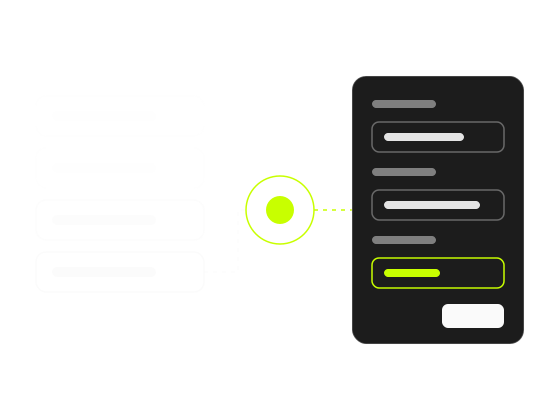
When a customer asks for something, aside picks the action that fits and fills in its arguments, and your own code runs it. The screen opens, the form fills in where the customer can see it, and the customer presses save. What saves, sends or deletes is always a button the person presses, never something done behind their back.
When a question doesn’t have an action, aside answers from your documentation. When it can’t solve it, it hands the conversation to your team instead of making something up.
This moves the boundary. “Where is the button?” was a question your docs could already answer. “Do it with me” was the part that ended up on a call with you.
Where to start
You don’t need to automate your whole product to feel the difference. Look at the last thirty conversations in your inbox and sort them into two piles:
- Questions: “how does X work?”, “do you support Y?”. These are a documentation job.
- Tasks: “change X”, “set up Y”, “add Z”. These are the ones that become calls.
The second pile is often smaller than the first, and each conversation in it costs more. Each repeated task in it is a candidate for an action: a few lines that wrap code you already wrote.
Start with the three tasks you have done by hand most often this month. That’s the work that keeps coming back to you, and it’s the work you can hand over. Sorting the inbox takes twenty minutes, and the step-by-step guide to cutting support calls picks up from there.