How to let an assistant act inside your web app without handing it the keys
In short
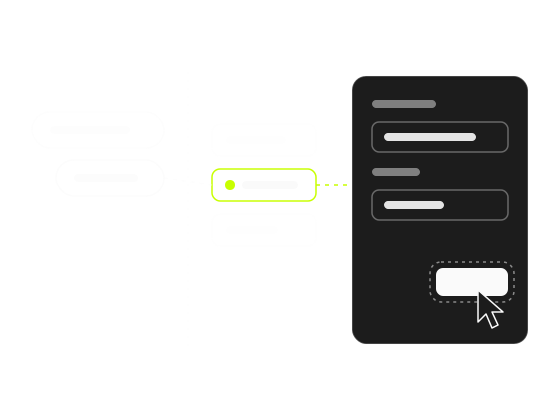
Give the assistant a short list of named functions, not your DOM, your API or an admin token. The model picks one function and its arguments, your own code runs it in the page as the logged-in user, and the user presses the button that saves, sends or deletes.
Give the assistant a short list of named functions you already have, not your DOM, your API or an admin token. The model chooses one function and its arguments; your own code runs it in the page, as the logged-in user. The function prepares the change where the user can see it, and the user presses the button that saves, sends or deletes.
That’s the whole safety model, and the rest of this tutorial is how to build it well: which functions to expose, how to name and describe them, how to constrain their arguments, and what never to hand over. The code uses aside’s SDK, but the design rules hold for any assistant you wire into your product.
Why shouldn’t an AI drive your app’s interface itself?
Because every step becomes a guess: it reads the page, decides what to click and types into whatever looks like the right field. A wrong guess clicks the wrong thing.
I learned this building aside. Its first versions worked exactly like that: they looked at the screen and decided on the spot where to click or what to highlight. They failed too often, and tuning didn’t help, because when something fails because of how it’s set up, tuning doesn’t fix it. I rewrote it around the split below.
The safer way is a split. The model never reads your DOM and never chooses where to click. It sees a list of actions, each with a name, a description and a schema for its arguments. When a user asks for something, the model picks one action and fills in the arguments. Then your function, written by you and reviewed like any other code, does the work.
This is the same boundary OWASP describes in its entry on Excessive Agency for LLM applications. It names three root causes: excessive functionality, excessive permissions and excessive autonomy. Each rule below removes one of them. A short list of actions limits functionality. Running in the page as the logged-in user limits permissions. And the user’s own click on the final button limits autonomy; OWASP’s own mitigation is a human approving high-impact actions before they happen.
Step 1: pick the functions from your inbox, not from your API
Don’t start from your API routes. Start from what customers ask you to do for them. Open the last month of support conversations, sort them into questions and tasks (in 20 minutes), and list the tasks, the “change X”, “set up Y”, “add Z” requests. In a typical B2B product you’ll see things like:
- invite a teammate with a given role
- change the plan or the billing email
- set up an integration
- create a report with some filters
- add a monitor or an alert
Each of those is a ticket someone answers by hand today, and in a small team that someone is usually the founder: what founder-led support costs puts a number on it.
Five to fifteen actions is a good first set. The SDK takes up to 40 per page, but ten sharp actions beat forty vague ones: the model chooses from names and descriptions, and every extra action is another one it can confuse with the right one.
Turning those repeated tasks into code is a tutorial of its own: From help article to action.
Step 2: name the intent, not the gesture
An action is a user’s intent, not a UI gesture. This is the rule that matters most, so here it is as a table you can check your list against:
| Good | Bad | Why |
|---|---|---|
invite_teammate({email, role}) | click_button({label}) | The model matches “add Ana as an admin” to an intent, not to a button |
change_plan({plan}) | fill_input({selector, value}) | A generic fill makes the model guess selectors, which is the unreliable design you’re avoiding |
create_report({project, period}) | go_to_page({url}) as the only action | Navigation alone leaves the work to the user |
Names are snake_case, start with a letter and use only a-z, 0-9 and _, up to 64 characters. An action with an invalid name is dropped without a warning, so get this right.
Step 3: describe it for the model, including what it doesn’t do
The description is a prompt. Write one or two sentences, up to 500 characters, that say what the action does, when to use it, and what it does not do. That last part is the one people skip, and it’s the one that keeps the model honest with the user:
Open Settings → Team and fill the invite form with an email and a role. It does not send the invite: the user reviews it and presses Send.
With that sentence, the model tells the user “I’ve filled in the invite, press Send when you’re ready” instead of “done, Ana is invited”.
Step 4: constrain the arguments with inputSchema
inputSchema is a JSON Schema object with type: 'object', properties and required. Two habits make it a guard rail instead of a formality:
- Use
enumfor closed choices. Roles, plans, periods. The model then can’t invent a value your form doesn’t accept. - Describe formats in each property’s description. “ISO date, YYYY-MM-DD” is clearer than hoping.
The schema narrows what the model can send. It doesn’t replace validation: treat the arguments like any other user input, because that’s what they are.
Step 5: the handler prepares, the user presses
Here’s a complete action, built only from aside’s documented SDK. Say you have a team settings page where an invite dialog asks for an email and a role:
const actions = [{
  name: 'invite_teammate',
  description: 'Open Settings → Team and fill the invite form with an email and a role. '
    + 'It does not send the invite: the user reviews it and presses Send.',
  inputSchema: {
    type: 'object',
    properties: {
      email: { type: 'string', description: 'Email of the person to invite' },
      role: { type: 'string', enum: ['admin', 'member', 'viewer'], description: 'Their role in the workspace' },
    },
    required: ['email', 'role'],
  },
  label: 'invite a teammate',
  run: async ({ email, role }, aside) => {
    aside.navigate('/settings/team');
    await aside.press(await aside.waitFor('[data-aside="team-invite-open"]'));
    await aside.fill(await aside.waitFor('[data-aside="invite-email"]'), email);
    await aside.fill('[data-aside="invite-role"]', role);
    aside.highlight('[data-aside="invite-send"]', 8000);
    return { filled: { email, role }, next: 'the user reviews it and presses Send' };
  },
}];

if (window.aside) window.aside.register(actions);
else window.addEventListener('aside:ready', () => window.aside.register(actions), { once: true });
Read the handler line by line and you’ll see the rules:
- Navigate, then wait. After
aside.navigate(...)the screen isn’t rendered yet, so every first touch of a new screen goes throughaside.waitFor(...). pressonly for harmless steps. Opening the invite dialog is harmless. Pressing Send isn’t, so the handler never does it.- Fill visibly.
aside.fillscrolls to the field and types the value where the user sees it. It works on native inputs, textareas and selects, soinvite-rolehere is a native<select>. - Point at the final button.
aside.highlightrings Send and stops there. The user reviews the form and presses it. - Return what happened. The return value is what the model reads next. Keep it small: what was filled and what the user still has to do.
Every control the handler touches carries a data-aside attribute. Never select by class, text or position: classes change on redesigns, text changes with translations, and a selector that silently matches the wrong element is how an assistant fills the wrong field. With data-aside, a missing element fails loudly.
The one exception to “the user presses” is a settings form that saves itself on change, with no submit button. There the fill is the change, so say so in the description. Why this rule is worth keeping even when it costs a click is the subject of Prepare, don’t commit: the rule for assistants that touch customer data.
Step 6: fail with a sentence the model can repeat
When an argument names something that exists (a project, a teammate, a plan), match it exactly, ignoring only case (and accents, if your data has them). If nothing matches, or more than one thing does, throw an error that lists the options. The message reaches the model as the tool error, so write it for the model:
// inside run, for a create_report action; `projects` is your app's own data
const matches = projects.filter((p) => p.name.toLowerCase() === project.toLowerCase());
if (matches.length !== 1) {
  throw new Error(`There is no single project named "${project}". `
    + `Ask the user to pick one: ${projects.map((p) => p.name).join(', ')}`);
}
Don’t fall back to “contains” or “starts with”. A substring match turns “Ops” into “Ops Archive”, and the user ends up with a report on the wrong project. A clear error becomes a clear question to the user; a vague one becomes a vague apology.
What should you never expose to an assistant?
Never expose anything that commits for the user, makes the model guess, or gives it permissions the person doesn’t have. Use this table as a template for the review before you ship: if an action on your list matches a row, change it or drop it.
| Never expose | Why | Instead |
|---|---|---|
| A handler that presses Save, Send, Pay, Delete or Publish | The user loses the moment to check | Fill, highlight the button, return |
Generic gestures (click, fill_input, run_query) | The model starts guessing again | One action per intent |
| Calls the user couldn’t make by hand | The assistant gets permissions the person doesn’t have | Call the same client and session your UI uses |
| Changes with no screen | Nothing for the user to review | Open the screen the change belongs to |
| Selectors by class or text | They match the wrong element after a redesign | data-aside on every control |
| An action that guesses which record you meant | Wrong record, right-looking result | Exact match or an error with the candidates |
The handler is your code, so it can call your store or your API client instead of driving the DOM. That’s fine for lookups and prefilled state. For anything the user will review, prefer aside.fill: seeing the form fill in is what makes people trust it.
What should you check before you ship an action?
- Every action has a snake_case name, a description that says what it doesn’t do, and a schema with
type: 'object'. - Every selector in a handler has a matching
data-asidein your templates. - No handler presses a submit, send, pay or delete control.
- Each handler finishes within about 15 seconds; slow network calls aren’t awaited inside it.
- You’ve run each handler from the browser console with test arguments, then asked for the same thing in words.
The snippet that loads the panel is one script tag, and with only that, and your docs added in the dashboard, aside answers questions from them the same day. Actions need someone who can write a function, because it’s your code that runs. The full integration guide, with framework placement, custom selects and onboarding flows, is at aside.pro/skill.